
Emergency Contact System Flow
- Parent Setup
The parent or guardian adds up to three emergency contacts in their SitList profile.- Emergency contact details are entered voluntarily by the parent.
- Parent consent is collected at the time the information is submitted.
- Secure Storage
Emergency contact information is securely stored within the SitList system.- This information is protected and not visible to sitters.
- SitList does not use the information for any purpose other than emergencies.
- Emergency Occurrence
An emergency occurs during a pet sitting or babysitting session. - Sitter Action
The sitter accesses the emergency option within the SitList app.- The sitter selects the emergency action without viewing any contact details.
- Sitters do not have access to emergency contact phone numbers or personal information.
- System Notification
The SitList system automatically sends an emergency message to the parent-designated emergency contacts.- Messages are sent only through the SitList system.
- No contact information is shared with the sitter.
- Emergency Contact Alerted
Emergency contacts receive the message and can respond according to the situation. - Post-Emergency Handling
Emergency contact information remains stored securely and continues to be governed by SitList’s privacy policy.
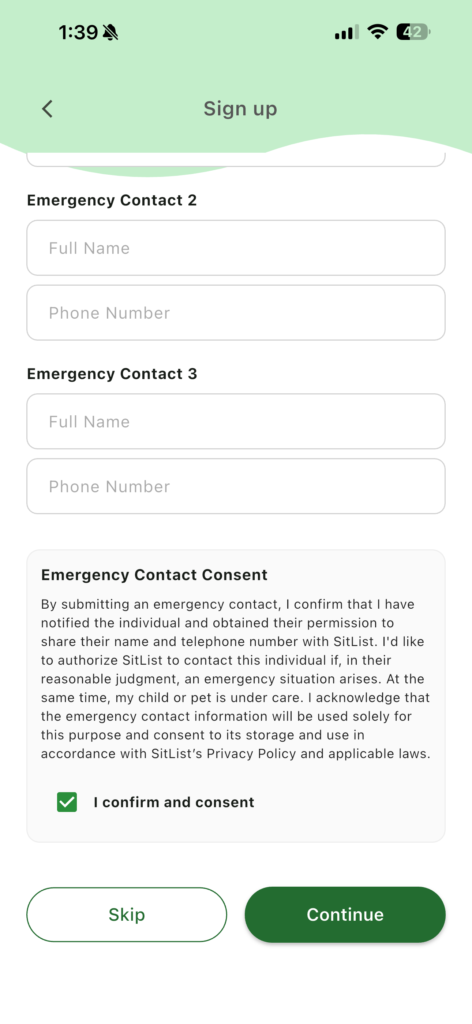
Image: Screenshot from the application requesting consent during parent’s sign up in SitList.